If you’ve been following the AI image generation space, you already know how fast things move. But OpenAI’s Image 2.0 — the upgraded image generation model powering the latest version of ChatGPT — has managed to stop the scroll for even the most jaded observers. The outputs are stunning, the capabilities are genuinely new, and the implications for creators, marketers, and designers are hard to overstate.
What Is OpenAI Image 2.0?
GPT Image 2.0 is the next-generation image synthesis model from OpenAI, built into ChatGPT and accessible via the API. It’s a significant step up from DALL-E 3, the previous standard-bearer for OpenAI’s image generation capabilities. Where DALL-E 3 was already impressive, Image 2.0 pushes further into territory that genuinely blurs the line between AI-generated and professionally produced visuals.
The model launched to immediate widespread attention, with users across social media flooding timelines with outputs that showcased a level of photorealism, compositional intelligence, and stylistic range that previous models simply couldn’t match. The reaction wasn’t just enthusiasm — it was a collective recognition that something had meaningfully shifted.
What Makes Image 2.0 Different?
Photorealism That Actually Holds Up
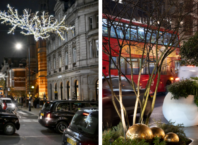
The most immediately obvious upgrade is visual realism. Images 2.0 renders textures, lighting, shadows, and material surfaces with a fidelity that previous AI image tools struggled to achieve consistently. Skin tones look natural. Fabric has weight. Glass reflects correctly. These might sound like small details, but they’re exactly the details that previously gave AI images away — and Images 2.0 handles them with a consistency that’s genuinely impressive.
Text Rendering — Finally Fixed
One of the longest-standing frustrations with AI image generators has been their inability to render legible, accurate text within images. Signs, labels, menus, book covers, posters — these have historically been a mess of garbled characters and nonsensical letterforms. Images 2.0 addresses this directly and meaningfully. Text in generated images is now readable, correctly spelled, and properly integrated into the visual composition. For anyone who creates marketing materials, social content, or branded visuals, this is a game-changing improvement.
Instruction Following at a New Level
Images 2.0 demonstrates a much stronger ability to follow complex, multi-part instructions. You can describe a scene with specific compositional requirements, lighting conditions, color palettes, and stylistic references — and the model actually delivers on all of them simultaneously rather than picking and choosing which elements to honor. This makes the generation process feel less like a lottery and more like a genuine creative collaboration.
Style Range and Consistency
From hyperrealistic photography to flat graphic design, painterly illustration to architectural visualization, Images 2.0 handles an unusually broad stylistic range without losing quality at either end of the spectrum. It also maintains visual consistency more reliably across multiple generations with similar prompts, which matters enormously for anyone working on projects that require coherent visual identity across multiple assets.
Real-World Use Cases
The practical applications of Images 2.0 are wide-ranging. Marketing teams can generate campaign visuals and ad creative without a full production shoot. Product designers can visualize concepts and iterate rapidly before committing to physical prototyping. Content creators can produce unique, high-quality thumbnails, cover images, and social assets at a fraction of the time and cost of traditional methods. Architects and interior designers can generate mood boards and concept renders that communicate ideas to clients with real visual clarity.
The text rendering improvement alone opens up an entirely new category of use cases — anywhere that words and visuals need to coexist in the same image, from infographics to storefront mockups to branded merchandise design.
How to Access OpenAI Image 2.0
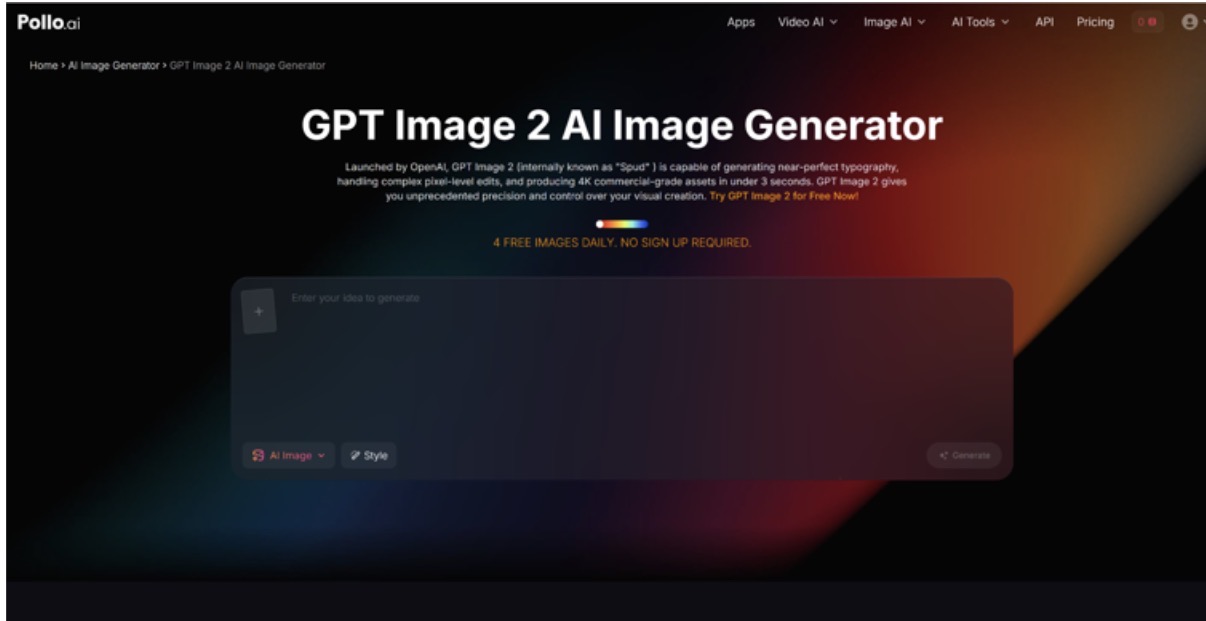
The model is available through ChatGPT for Plus and Pro subscribers, as well as through the API for developers. If you want a more flexible way to work with it alongside other leading AI image and video tools, Pollo AI is worth checking out — it’s an all-in-one creative platform that gives you access to top AI generation models including OpenAI’s image capabilities, all from a single streamlined interface without the hassle of managing multiple subscriptions.
The Bigger Picture
OpenAI Images 2.0 doesn’t exist in a vacuum. It arrives at a moment when the AI image generation space is more competitive than it has ever been, with strong offerings from Midjourney, Stability AI, Google, and others all pushing the quality ceiling higher. What makes Images 2.0 notable isn’t just that it’s good — it’s that it’s good in ways that directly address the practical frustrations that have held AI image generation back from wider professional adoption.
The text rendering fix is the clearest example of this. It’s not a flashy feature, but it’s the kind of improvement that transforms a tool from “impressive demo” to “actually usable in a professional workflow.” The same is true of the improved instruction following — less time spent wrestling with the model means more time spent on actual creative work.
Should You Be Using It?
If you create visual content in any professional capacity, the answer is yes — you should at least be experimenting with Images 2.0. The quality threshold it has established means that AI-generated visuals are no longer a compromise you make when budget or time is tight. They’re a legitimate creative output in their own right.
The pace of improvement in this space shows no signs of slowing. OpenAI Image 2.0 is the new benchmark, and it’s a high one. Whether you access it through ChatGPT, the API, or a platform like Pollo AI that bundles it with other powerful tools, getting familiar with what it can do now puts you ahead of the curve before this level of quality becomes the baseline expectation everywhere.
The bar for AI-generated visual realism has been raised. The question is whether you’re going to use that to your advantage.